
LEAD GENERATION · ADS, LANDING PAGES & CRM
How I build a lead generation system for a local service business
How I connect the offer, advertising, landing page, form and CRM follow-up—and judge the system by the enquiries and business outcomes it produces.
 Oleksandr “Alex” KoliesnikovMarketing strategy, GEO & Local SEO
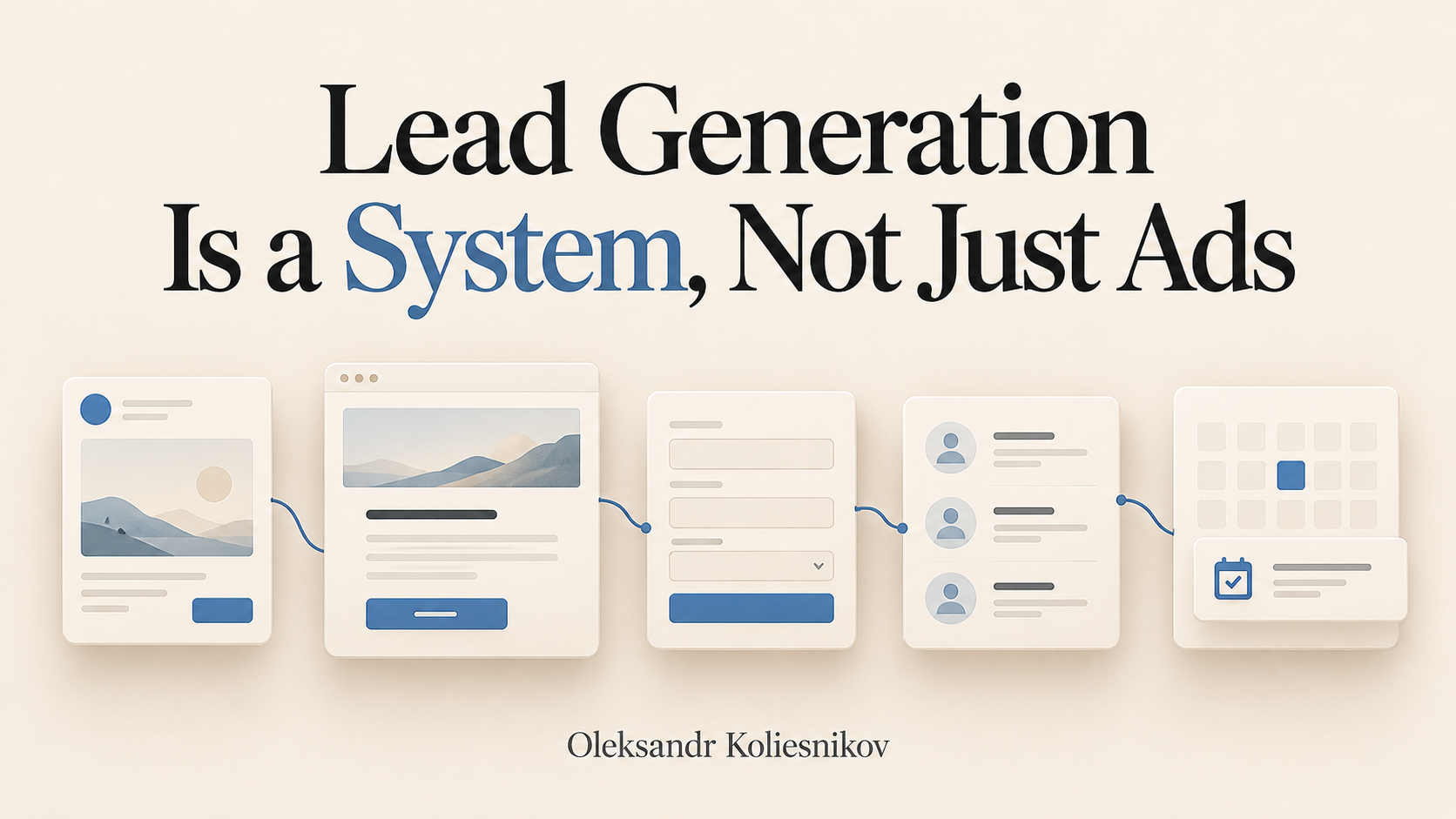
A local service business can receive enquiries and still struggle to fill its appointment calendar. The advertising report looks busy, but the sales team is dealing with people outside the service area, requests for a different service, or contacts who never understood the offer.
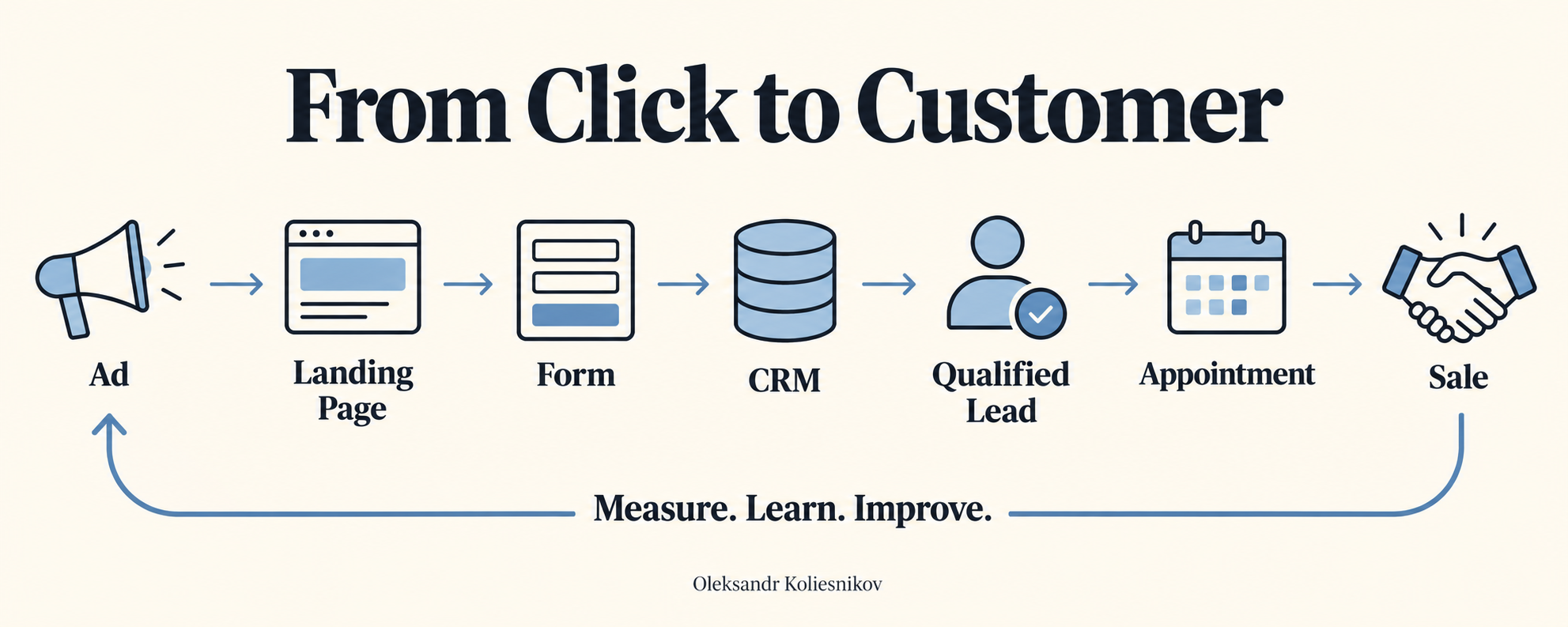
When I work on lead generation, I want to understand that gap. I look at what the person saw in the ad, what they expected from the landing page, what the form asked, and what happened after submission. The useful question is whether the system is producing conversations the business can serve.
My work includes windows and doors, where a form submission is only the beginning of a longer decision. I have observed improvements in lead quality, appointments, and sales while refining this process. These observations do not isolate the effect of any single landing-page edit.
Start with the customer decision
Before choosing a form layout, I clarify the offer. What exactly can this person request? What happens next? What would make the service suitable or unsuitable for them?
For a window replacement enquiry, the customer may be trying to understand whether the company serves their area, handles their type of project, and can explain the available options. A page that answers those questions is more useful than a page full of broad claims about quality.
I would write down these points before building:
- The specific service being promoted.
- The customer and project types the business can realistically serve.
- The geographical service area.
- What the enquiry leads to, such as a conversation or an estimate process.
- Important limitations or conditions the customer should understand before submitting.
- Evidence the business can actually substantiate.
This is where psychology becomes practical. A visitor has uncertainty, and the page should help them resolve it. They may worry about cost, the disruption of installation, or being pressured into a decision. Clear explanations give them something useful to evaluate. An invented deadline or an unsupported discount gives them another reason to distrust the business.
I also separate different buying intentions. If a business sells and rents a product, the purchase and rental offers should not share a confusing conversion path. Price expectations, qualifying questions, and the next conversation are different. The same principle applies when one company offers several local services: the customer should not have to work out which offer an ad was talking about.
An attractive offer still needs to be deliverable. The sales team must be able to follow the process the advertising describes.
Make the service area an operational decision
For window replacement in Canada, I start with where the company can realistically deliver the work. I map included locations and areas it cannot serve, then check which inclusion and exclusion controls the particular campaign supports. Platform options change, so I verify the current setup rather than copying an old checklist.
Google Ads distinguishes presence targeting from presence or interest targeting. That distinction matters when the business needs local customers rather than people elsewhere researching a place. Google's location options guidance also explains exclusions and makes clear that location accuracy is not guaranteed. I do not assume another platform offers the same controls.
The page should state the service area, and a postal-code question can help establish the project location. I then review out-of-area enquiries in the CRM. A useful out-of-area rate is unique leads confirmed outside coverage divided by all unique leads in the cohort; missing locations should stay visible separately. Exclusions can help reduce remote enquiries, but the CRM shows whether the actual mix improved.
Give each landing page one clear job
For a focused campaign, I prefer one landing page built around one service and one primary intent. The ad and page should describe the same offer in compatible language. Someone clicking for window replacement should arrive at a page that immediately helps them with window replacement, rather than a general directory of everything the company does.
That does not require an empty page. People may need service details, relevant project images, evidence, and answers to common questions before they are ready to enquire. The point is to keep those elements connected to the same decision.
A useful structure is:
- Identify the service and who it is for.
- Explain the offer and the next step.
- Address the practical questions that can block an enquiry.
- Show relevant, permitted evidence without overstating it.
- Make the enquiry action easy to find and complete.
I remove distractions that compete with that path. A large menu, unrelated promotions, and several equally prominent actions can make the page harder to interpret. However, removing distractions does not mean removing accountability. Privacy information, applicable terms, business identity, and a usable contact route still belong on the page.
The mobile experience deserves its own review. I want to know whether the offer is readable, the form works with the keyboard open, and errors are understandable. A page that looks polished on a large screen may still be difficult to use on a phone.
This is the connection between website development and advertising: the page needs to support the actual customer journey, not simply look finished when it launches.
Treat the form as part of the offer
The form influences both volume and the information available for follow-up. Asking fewer questions can reduce effort, but it can also leave the business without context. Asking more questions may help qualification, but unnecessary questions can lose suitable customers.
I test that balance rather than assuming the shortest form is always best.
For a local service, a location question may help establish coverage. A service or project question may prevent enquiries being routed to the wrong team. Contact details need a clear purpose. If a question will not change qualification, routing, or the next conversation, I want a good reason to include it.
The wording matters as much as the field count. People should understand what they are requesting and how the business intends to respond. A button that suggests an instant price should not lead to an unexplained sales callback instead.
Before judging a form test, I check the complete submission path:
- Can a real person complete it on the devices that matter?
- Are required fields and validation messages clear?
- Does a successful submission appear in the CRM once?
- Is the source information preserved?
- Does the right person receive the enquiry?
- Does the confirmation explain the next step accurately?
A higher submission rate is useful evidence, but I also follow those submissions downstream. If a new form generates more records and fewer suitable conversations, I need to understand why before calling it an improvement.
Compare native forms with the landing page journey
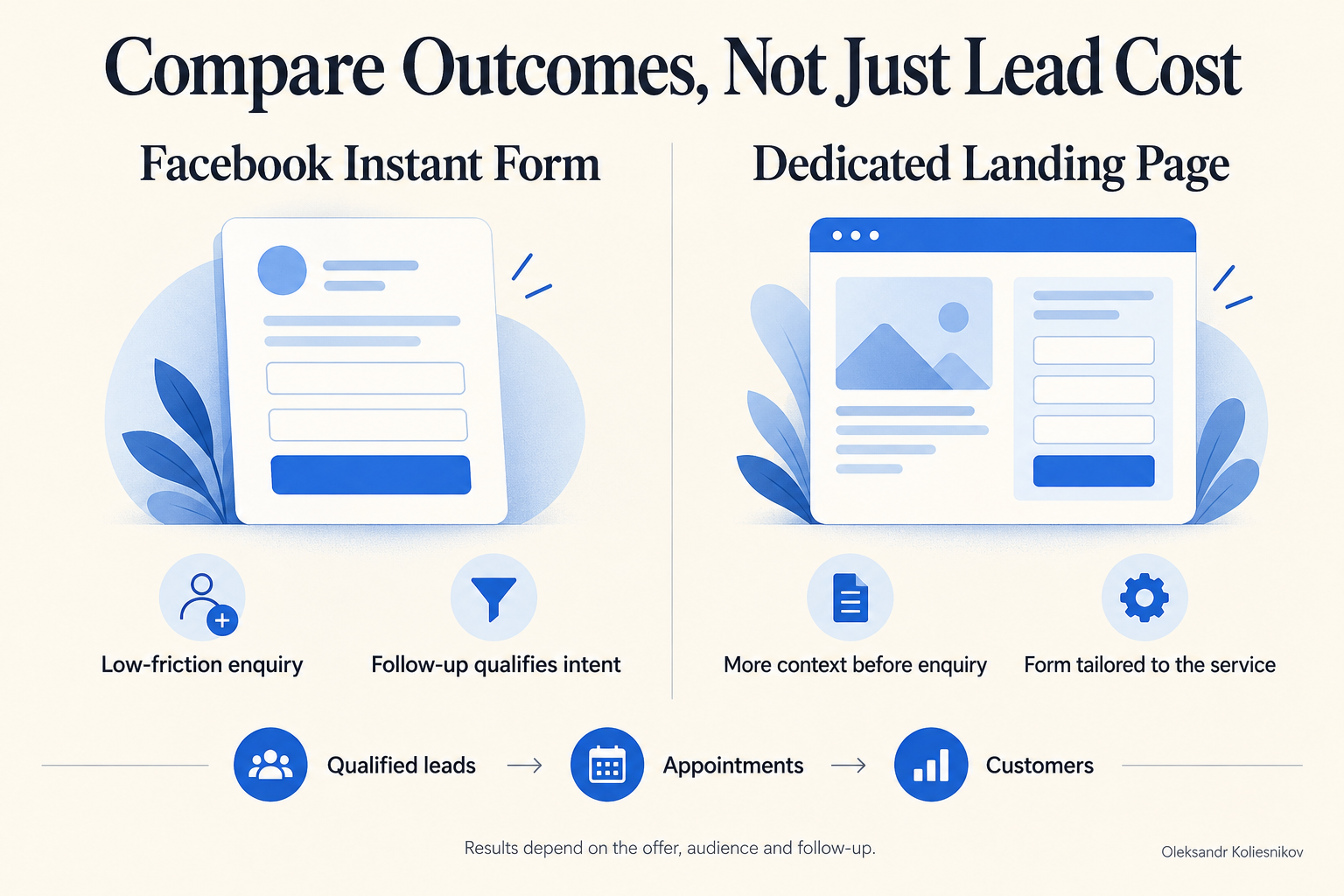
In my own practice, Facebook's native instant forms have produced cheaper leads and more volume, but more people have said they did not recall submitting. With a landing page and a thoughtfully designed form, I have seen higher lead costs alongside better-informed, more suitable enquiries.
Those are observations from my work, not a claim that native forms are universally inferior or that landing pages guarantee profit. Someone not remembering an enquiry is not evidence of fraud. Native forms can suit low-friction capture when qualification and follow-up work well.
I compare cost per qualified lead, booked appointment, attended appointment, and customer, rather than stopping at CPL. For appointment costs, divide attributable spend by unique leads reaching the relevant appointment stage. Use comparable cohorts and allow for later outcomes. The question is which journey produces useful business opportunities at an acceptable cost, given the team's capacity to respond.
Watch behaviour without pretending to read minds
I use behavioural evidence to investigate where a page may be difficult to use. Microsoft Clarity provides aggregated click and scroll maps, which can help show whether people reach important content or interact with particular elements. Microsoft's heatmaps overview explains those views.
Session recordings can add context to a suspected problem. I might investigate a form that appears difficult to complete or a page element that visitors repeatedly try to use. I treat these observations as clues. A recording does not tell me everything a customer thinks, and a person leaving the page does not prove that a particular sentence caused the exit.
Privacy controls need attention before this becomes a routine review habit. Clarity masks sensitive content by default, but I still inspect the project's settings and verify what appears in new recordings. Microsoft's masking guidance explains the available controls and notes that masking changes do not apply retroactively.
My practical rule is to collect only what is appropriate for the purpose, restrict access, and check that forms and customer-specific page content are protected. Installing an analytics tool does not establish legal compliance. Applicable requirements and the actual implementation need their own review.
My experiment with five identical manual campaigns
One experiment in my own process is to launch five identical manual campaigns, with distinct UTM tags so I can separate their leads in the CRM. I then compare cost per lead, lead volume, and the quality of the enquiries that arrive. I may turn off weaker campaigns and retain one or two.
The word identical matters here. This is not a test of five different offers or five landing-page designs. Apart from the tracking identifiers, I am not deliberately introducing a different creative or audience hypothesis into each campaign.
I do not present this as a universal Meta recommendation or a proven shortcut. It is my working experiment. Identical setups can produce different observed results, and those differences do not automatically reveal a lasting advantage. Random variation is possible. Splitting activity across campaigns can also fragment the available budget and data.
There is no fixed waiting period or budget rule I can responsibly give for this approach. The amount of evidence available, the sales cycle, and the business's ability to assess enquiries matter. A campaign with very few leads can look unusually good or bad simply because the sample is small.
Before keeping a campaign, I want to know whether its apparent advantage survives contact with the CRM. Are the enquiries in the service area? Can the team reach them? Do they want the advertised service? Are appointments being booked and attended?
I would not choose a winner solely because it had the lowest displayed CPL. Nor would I describe this setup as a controlled experiment proving that duplication caused better performance. It is an operational comparison with limitations, and it needs to be judged that way.
The broader work in Facebook and Instagram advertising is still about the offer, the audience, the creative, the page, and the quality of the resulting demand. Campaign structure cannot replace that work.
Connect campaign tracking to the CRM
UTM tags are useful only if they survive the journey into a record someone can inspect. I want a campaign identifier to travel from the landing-page visit through the form submission into the CRM. I then need the sales team to record what happened to that enquiry.
For the five-campaign experiment, this is how I connect an advertising label to an actual business outcome. Without that connection, I can compare platform totals but cannot reliably explain the quality difference between campaigns.
The minimum useful record includes the enquiry's creation date, captured source information, service requested, current status, responsible person, and relevant outcome dates. The exact fields depend on the business. I avoid putting customer names, email addresses, or other personal information into UTM parameters.
I also keep an unknown-source category. Tracking can be missing or incomplete. A person might return later, use a different device, or contact the company through another route. Forcing every record into a campaign makes the spreadsheet look tidy while weakening the evidence.
This is where CRM and automation work becomes part of lead generation. Automation can help route enquiries and maintain consistent records. It cannot rescue unclear status definitions or a team that never updates them.
For Google Ads, I apply the same business question: what happened after the enquiry? The channel and implementation differ, but a low acquisition cost for unsuitable demand is still a problem.
Define the stages before comparing performance
I want everyone reading the report to mean the same thing by a lead or appointment. Otherwise, a change in recordkeeping can look like a change in performance.
A workable CRM progression is new enquiry, contact attempted, contacted, qualified, appointment booked, appointment attended, and won or lost. These stages may need adapting to the sales process. An appointment can be cancelled or rescheduled, and some services do not need an appointment at all.
I keep disqualification reasons separate from vague labels such as bad lead. Outside the service area, wrong service, duplicate, spam, and unable to contact describe different problems. Unable to contact is not proof that the person was unsuitable.
For reporting, define a lead as a unique enquiry record after removing tests, spam, and duplicates under a documented rule. Keep those exclusions visible. A real enquiry for the wrong service should remain in the quality analysis; deleting it would hide an offer or targeting problem.
Use the same campaign cohort for all the measures below. That means the same source definition and enquiry date range, with the same reporting cutoff for later outcomes.
| Metric | Definition | What I use it to understand |
|---|---|---|
| CRM cost per lead | Attributable ad spend divided by unique leads in the cohort | Cost of generating recorded enquiries |
| Qualified lead rate | Unique leads marked qualified divided by all unique leads in the cohort | Fit against the business's stated criteria |
| Contact rate | Unique leads successfully contacted divided by all unique leads in the cohort | Whether conversations are happening |
| Appointment booking rate | Unique leads with an appointment booked divided by all unique leads in the cohort | Progress from enquiry to booking |
| Appointment attendance rate | Unique leads with an attended appointment divided by unique leads whose booked appointment was due by the cutoff | Whether scheduled opportunities materialise |
| Lead to customer rate | Unique leads marked won divided by all unique leads in the cohort | Recorded commercial progress |
| Cost per qualified lead | Attributable ad spend divided by unique qualified leads in the cohort | Acquisition cost after qualification |
| Cost per customer | Attributable ad spend divided by unique leads marked won in the cohort | Recorded acquisition cost at the customer stage |
Count each lead once within a metric, even if it has several appointments. Define how reschedules are handled. If a denominator is zero, report the metric as unavailable rather than presenting a misleading zero cost.
Recent enquiries have had less time to become appointments or sales. I label immature cohorts and revisit them instead of comparing them uncritically with older ones. Platform-reported leads and CRM leads may also differ; I label each clearly and investigate discrepancies rather than treating them as interchangeable.
How I interpret appointment rates in window replacement
In my Canadian window-replacement work, I consider a 30% lead-to-booked-appointment rate a very good result, and I have achieved 40%. These are my assessment and reported experience, not a Canadian industry benchmark or a promised result for another business.
For those figures, the denominator is all received leads, not only qualified leads. The calculation is: leads that become booked appointments divided by all received leads from the same cohort, multiplied by 100. For illustration, 30 bookings from 100 received leads is 30%; those example counts are not a separate client case.
These figures refer to bookings, not attended appointments or sales. They do not establish the cost of acquisition, profit, or the effect of a particular landing-page change. They should also not be compared directly with rates calculated only from qualified or cleaned leads. The operational table above uses its own explicitly defined cleaned, unique-lead denominator; my reported 30% and 40% figures use all received leads.
Use the weak stage to choose the next investigation
When results disappoint, changing everything at once makes the next report harder to interpret. I first identify the stage where the evidence becomes weak, then inspect plausible causes.
| What I see | What I would inspect first | What I would avoid concluding too soon |
|---|---|---|
| Ad clicks but few recorded page visits | Page loading, redirects, measurement setup, and the destination URL | That the offer is necessarily wrong |
| Visitors arrive but rarely start the form | Ad to page consistency, offer clarity, mobile usability, and visibility of the next step | That more traffic will solve the problem |
| Form starts without successful submissions | Validation, required fields, technical errors, and unclear questions | That every abandonment reflects low intent |
| Submissions appear on the website but not in the CRM | Integration logs, field mapping, routing, and duplicate handling | That the sales team lost every missing enquiry |
| Many enquiries request the wrong service | Ad wording, page promise, service options, and qualification questions | That every person submitted carelessly |
| Many enquiries fall outside coverage | Service-area messaging, campaign configuration, and location data quality | That location targeting alone will fix every mismatch |
| Suitable enquiries are difficult to contact | Response process, contact accuracy, attempted channels, and recorded attempt history | That unreachable means unqualified |
| Contacts do not become appointments | Fit, expectations, availability, and the conversation after contact | That the landing page is the only cause |
| Bookings do not become attended appointments | Confirmation process, scheduling friction, cancellations, and customer expectations | That a booking is equivalent to a sales opportunity |
| Attended appointments do not become sales | Proposal fit, price expectations, sales process, and loss reasons | That cheaper leads will improve the closing rate |
| One campaign appears much better | Cohort size, source capture, outcome maturity, and consistent qualification | That the difference will persist |
These are investigation prompts, not automatic diagnoses. Several issues can exist at once. I use the table to choose where to look before deciding what to change.
Give advertising systems accurate signals
Changing a headline or simplifying a form does not automatically train the Meta pixel. The page may affect customer behaviour, but advertising optimisation depends on the events being correctly implemented, permitted, and used in the campaign setup.
Meta describes Conversions API as a direct connection between business data and Meta. Its website data training outlines integration paths. In practice, server-side data can be part of the measurement setup, alongside the browser-side implementation.
I want the technical plan to distinguish an enquiry from a later business outcome. If qualified-lead or sales feedback is being sent through a supported integration, the CRM definitions need to be reliable first. Otherwise, the system may receive a confident signal about an inconsistently classified event.
The review should check event meaning, accidental duplication, transmission failures, appropriate access, and what customer data is included. Server-side tracking is not permission to send everything in the CRM, and it is not a substitute for applicable consent or privacy requirements. Better instrumentation makes the evidence more usable; it does not guarantee better campaign results.
Keep a change log and follow the leads
My process involves continuing to test the landing page and form, watch reactions, and improve the experience. Early review can take a substantial amount of hands-on attention. I would rather acknowledge that work than describe launch as the end of the job.
For each meaningful change, a useful log records what changed, why, when it went live, and what outcome would make it useful. It should also note other changes that could affect interpretation, such as a different offer or a change in the follow-up process.
Where practical, I change one meaningful element at a time. Operational needs sometimes require several fixes together. When that happens, I can assess the combined result, but I should not claim to know which individual edit caused it.
My review checklist is straightforward:
- Confirm that ads, pages, forms, and CRM routing still work.
- Check source capture and unexplained differences between systems.
- Read qualification and loss reasons, not just totals.
- Review the relevant page behaviour with privacy controls in place.
- Compare costs and outcomes using consistent definitions.
- Identify the most useful next change and document the reason.
- Return to older leads when enough outcome information becomes available.
The aim is to make a decision the business can explain. Keep a change because the evidence supports it, revise it because it created a different problem, or collect more information because the result is still uncertain.
Build the connections before buying more traffic
If the current system cannot show where suitable enquiries come from or what happens to them, increasing spend can make the confusion more expensive. I would first connect the offer, landing page, tracking, CRM, and follow-up process well enough to make the next decision with evidence.
If you want help reviewing those connections for your local service business, explore my full growth system service. The starting point is understanding where your present customer journey is breaking down and which part is worth improving next.
About the author
Oleksandr “Alex” Koliesnikov is a Toronto-based AI Visibility, GEO and Local SEO consultant working with local businesses and personal brands across Canada and the United States. His broader digital marketing experience includes paid acquisition, landing pages and CRM follow-up, including work in windows and doors. Learn more about Alex and his approach.